
Backoffice compact themes
😎 😎 😎 Combodo's customers only 😎 😎 😎
- name:
- Backoffice: compact themes
- description:
- Reduce spacing in Full moon and Dark moon, to make the lists and dashlets more compact
- version:
- 1.0.4
- release:
- 2026-04-21
- code:
- combodo-backoffice-compact-themes
- state:
- stable
Features
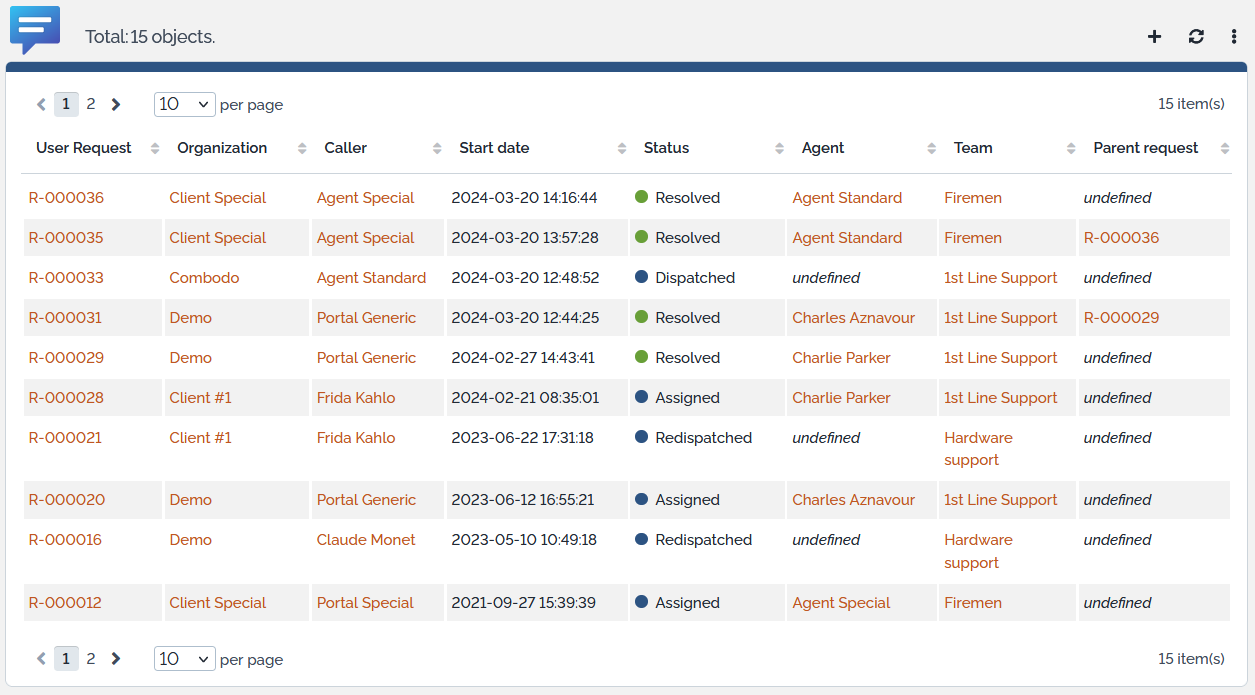
This extension proposes 2 new themes to users, which makes the presentation more compact
-
one is based on the Fullmoon theme and the other on Darkmoon theme
-
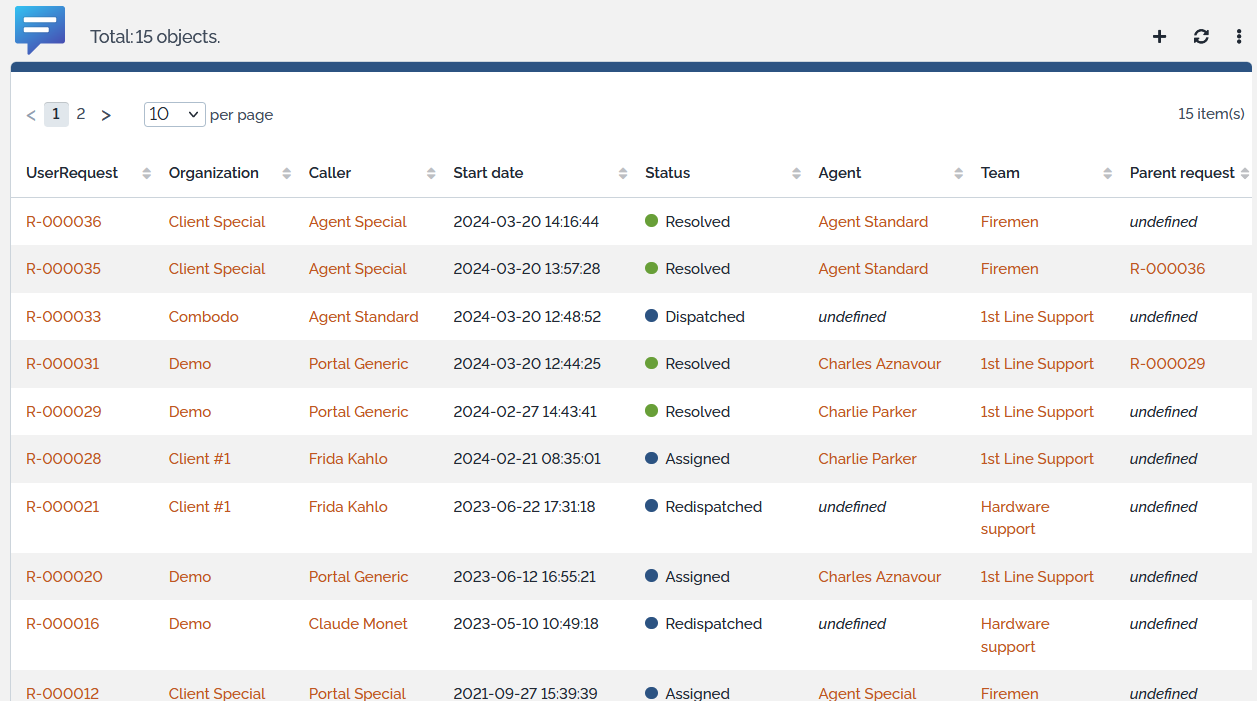
Lists are more dense
-
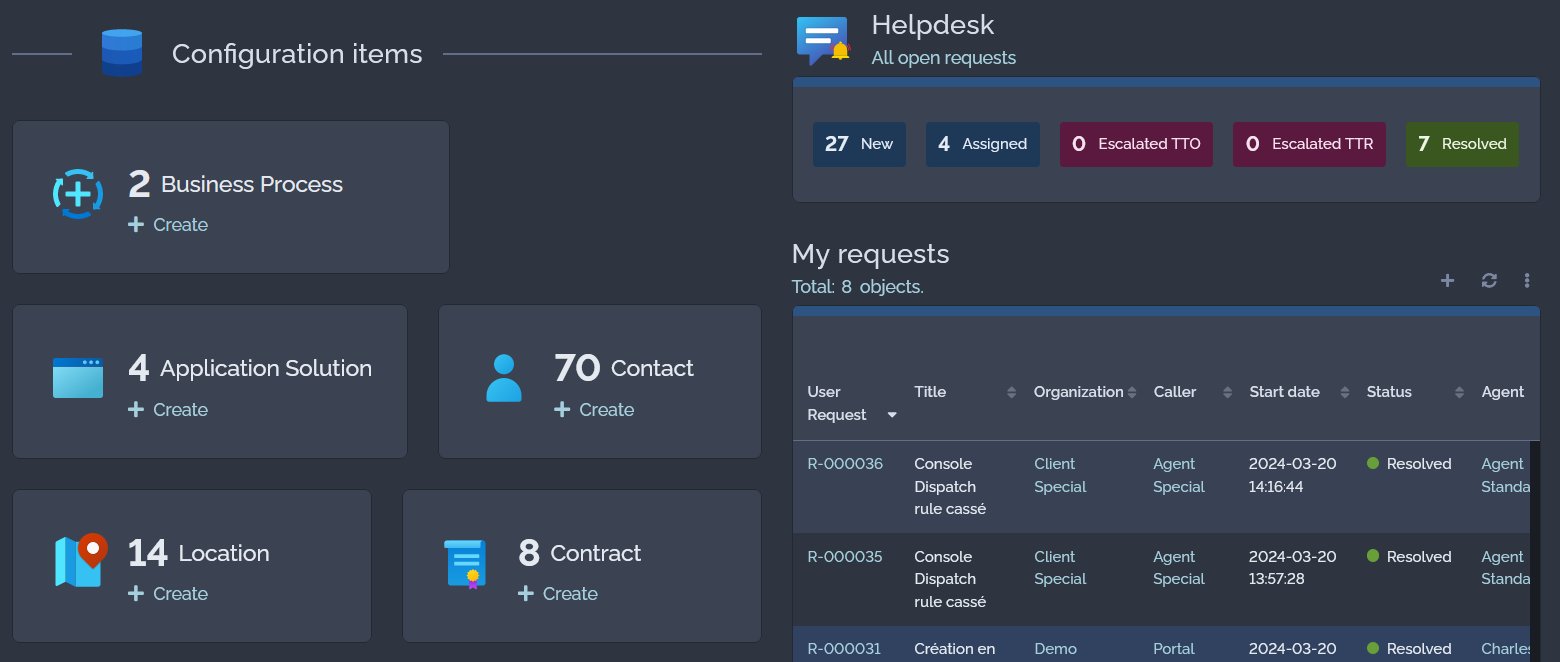
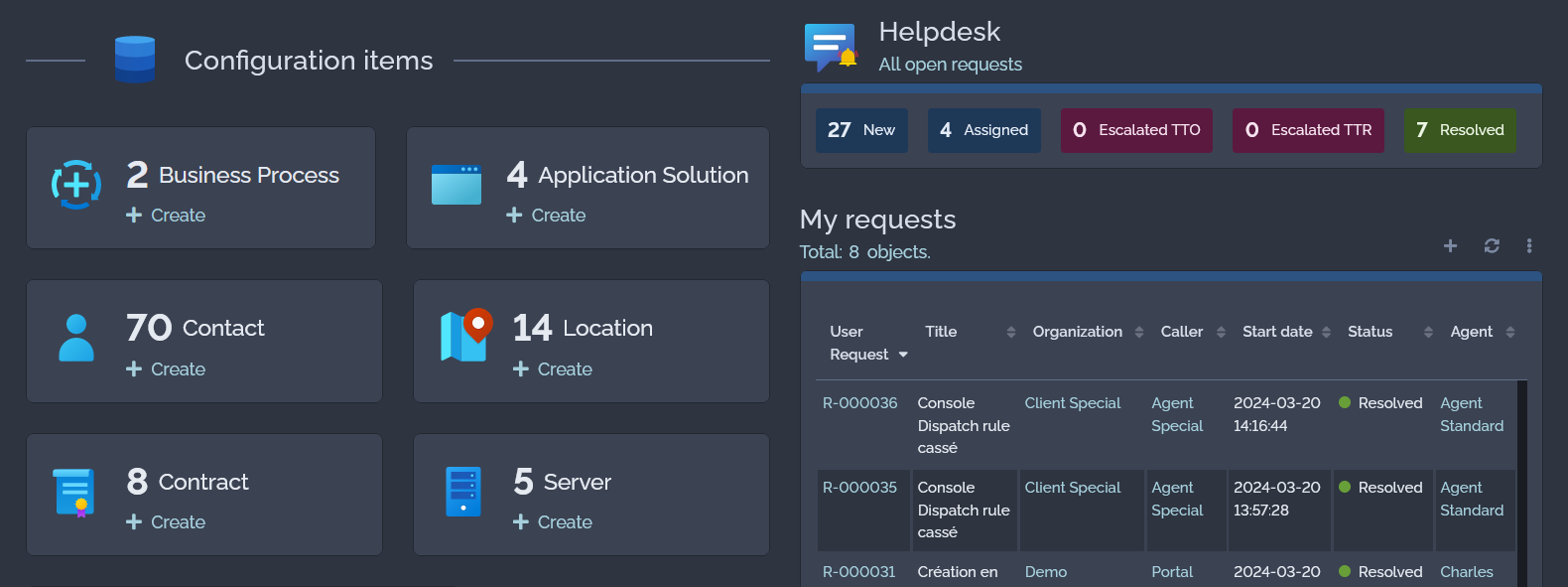
Dashlets are more dense (less spaces on badges)
-
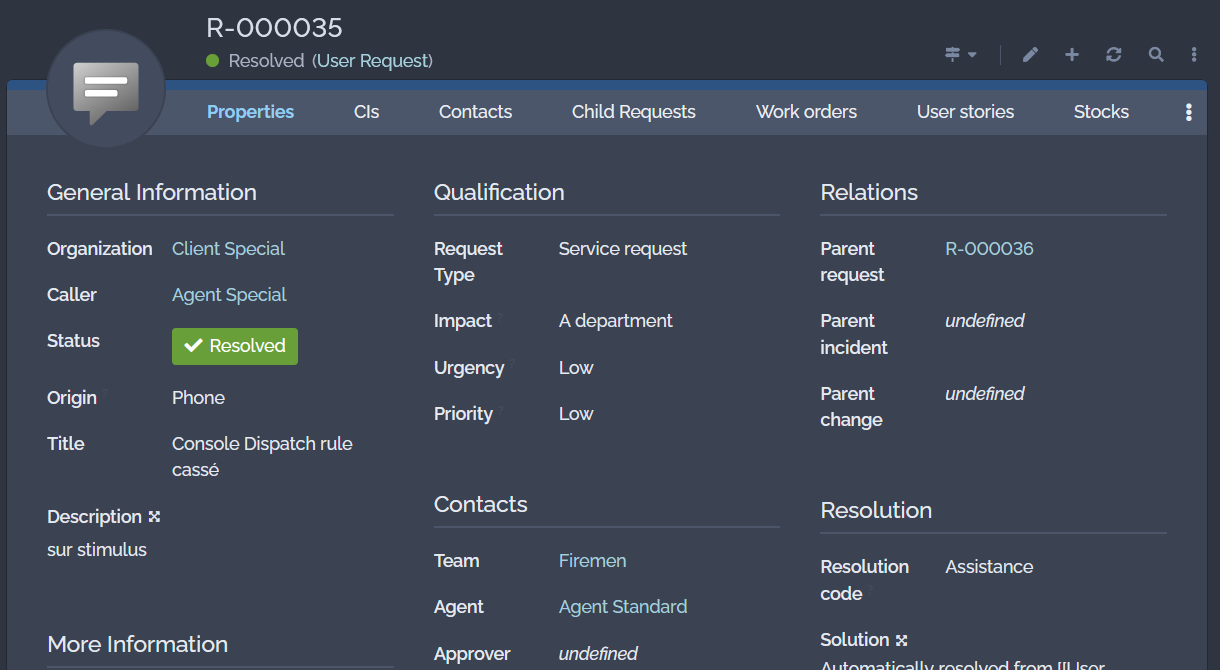
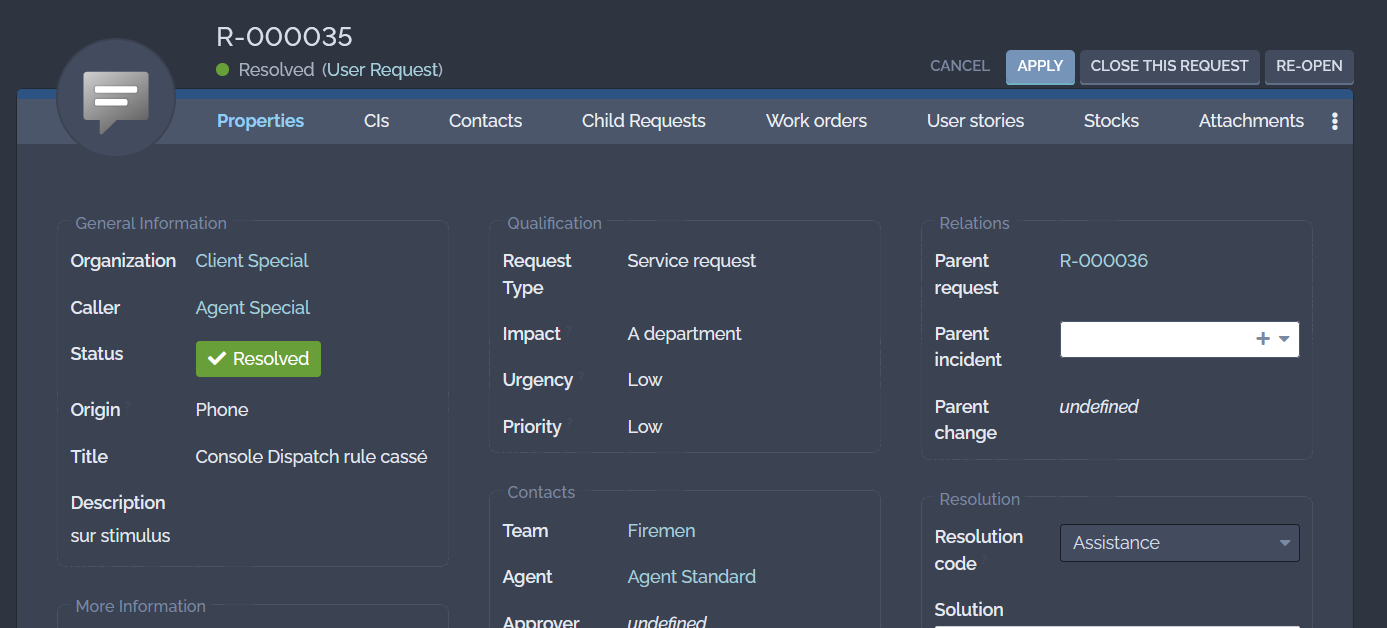
Fieldset restore the 2.7 look and feel
-
with a border, grouping the fields in a more visual way
-
a title with a small font and a greyed color, because it's not an information you read anymore once your are familiar with iTop
-
Revision History
| Version | Release Date | Comments |
|---|---|---|
| 2026-04-21 | 1.0.4 | * N°8354 - Backoffice compact theme not compatible with new portal |
| 2025-04-23 | 1.0.3 | N°8249 - Split rules.scss into multiple files for better overloading of the themes |
| 2024-07-30 | 1.0.1 | Added French translation |
| 2024-05-17 | 1.0.0 | First version |
Limitations
n/a
Requirements
Compatible with iTop 3.x only
Installation
Standard installation process
Configuration
None
Usage
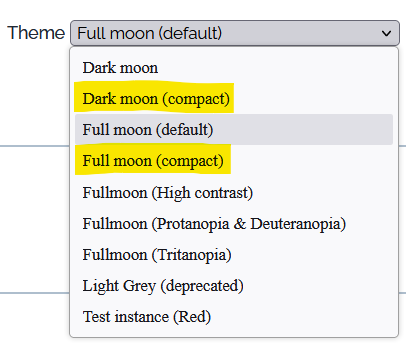
Each user need to go to its user preference:
-
choose theme Full moon (compact) or Dark monn (compact) and press button
Apply
Fieldset
| iTop 3.x Dark moon standard | Dark moon (compact) theme |
|---|---|
 |
 |
List
| iTop 3.x Full moon standard | Full moon (compact) theme |
|---|---|
 |
 |
Dashboard
| iTop 3.x Dark moon standard | Dark moon (compact) theme |
|---|---|
 |
 |
Questions & Answers
Q: Can an Administrator change some parameters of those
new themes?
A: Yes, with the Designer or an iTop extension,
multiple XML parameters can be changed to fine tunes the spacing
and fieldset border
- itop-design
-
    <branding>
        <themes>
            <theme id="compact-fullmoon" _delta="define">
                <variables>
                    <variable id="ibo-tab-container--tab-container--min-height">0px</variable>
                    <variable id="ibo-tab-container--tab-container--last--min-height">1px</variable>
                    <variable id="ibo-datatables--row--padding-x">4px</variable>
                    <variable id="ibo-datatables--row--padding-y">6px</variable>
                    <variable id="ibo-fieldset-legend--color">$ibo-color-grey-600</variable>
                    <variable id="ibo-fieldset--border-color">$ibo-color-grey-400</variable>
                    <variable id="ibo-fieldset--border-style">dashed</variable>
                    <variable id="ibo-fieldset--border-width">1px</variable>
                    <variable id="ibo-fieldset--padding-y">10px</variable>
                    <variable id="ibo-fieldset--padding-x">10px</variable>
                    <variable id="ibo-fieldset--margin-top">18px</variable>
                    <variable id="ibo-dashlet--padding-top">16px</variable>
                    <variable id="ibo-dashlet--padding-right">12px</variable>
                    <variable id="ibo-dashlet--padding-bottom">8px</variable>
                    <variable id="ibo-dashlet--padding-left">12px</variable>
                    <variable id="ibo-dashlet-badge--padding-y">4px</variable>
                    <variable id="ibo-dashlet-badge--padding-x">4px</variable>
                    <variable id="ibo-datatables-panel--padding-top">24px</variable>
                    <variable id="ibo-datatables-panel--padding-right">12px</variable>
                    <variable id="ibo-datatables-panel--padding-bottom">12px</variable>
                    <variable id="ibo-datatables-panel--padding-left">12px</variable>
                </variables>
For example ibo-fieldset–border-style can take
different values
-
dashed
-
dotted
-
none
-
…
extensions/combodo-backoffice-compact-themes.txt · Last
modified: 2026/04/30 09:19 by 127.0.0.1