
What's new in iTop Essential 3.2
-
Release date 3.2.0: August 2024
-
Read before upgrading: Migration notes & Extensions 3.2 compatible version
-
For an exhaustive list of changes check the Change Log
-
List of Known Issues in 3.2.0 version
Improved included extensions
Authentication by Token
-
User authenticated using a token can be denied to connect to the iTop user interfaces (Console, portal …)
-
Token size was extended to 120 characters
What's New in Community
For iTop discovery
Localized sample data
You can now install iTop with sample data either in English like before or in French or in German.
-
During the first iTop installation, iTop uses the selected default language (not the Administrator language) as the reference for loading structural and sample data.
-
Currently only French and German sample data are available, on top of English which remains the default.
More samples
-
More sample data on Service, Contract, SLA, SLT
-
More sample on Organization, Person
-
New sample on FAQs and Known Errors
-
Sample Users are automatically created so you can test what they see and can do, after having activated them. By default they are disabled and with password expired for security.
-
You won't get the Known Error and FAQs related samples if you activate this option later.
-
It's the same thing for any extension which would bring such sample data, add it before running the first setup.
For users
Container Management
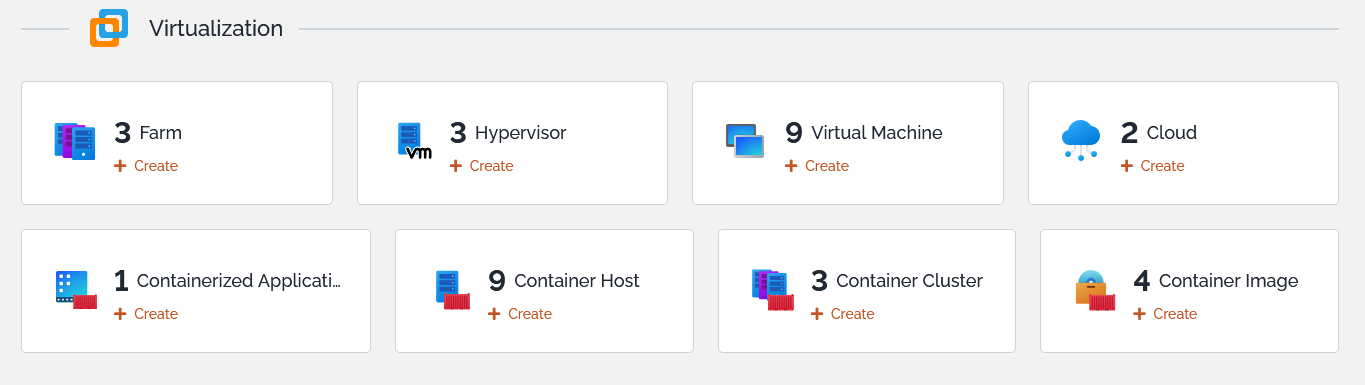
This new optional module adds:
-
A Cloud class to Virtualization
-
And a few classes to manage Containerization: ContainerImage, ContainerApplication, ContainerCluster, ContainerHost
 |
 |
Data Flow Management
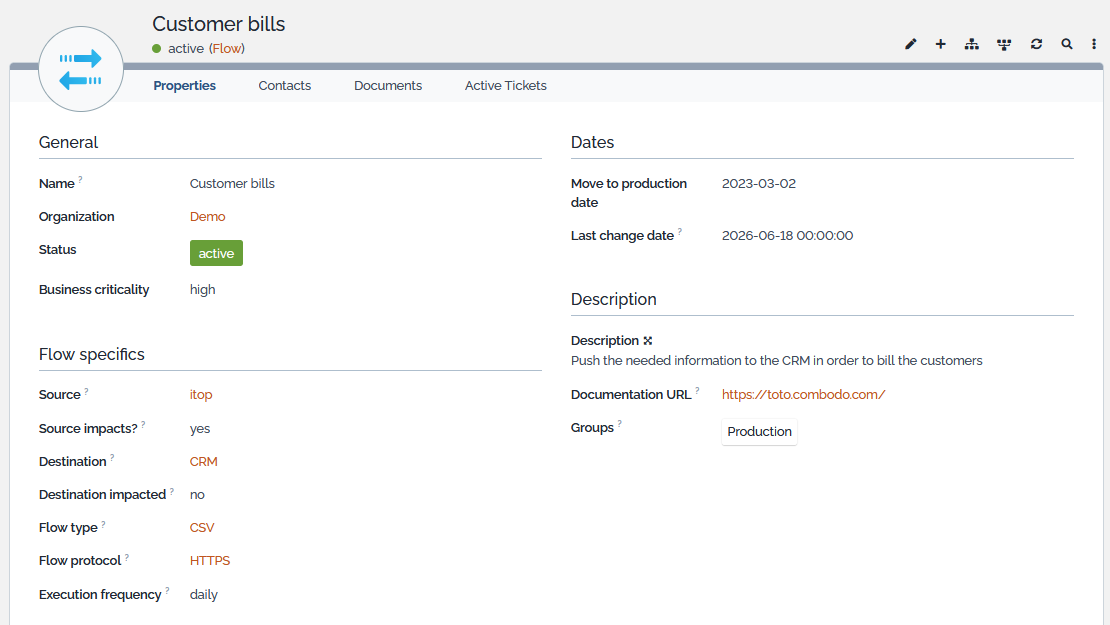
This optional module brings a new DataFlow class:
-
It models a flow between 2 FunctionalCI, with a frequency, a type of flow, a criticality,…
-
It's a FunctionalCI so it can be linked to a Ticket and part of the Impact Analysis.
-
The Source can impact the Flow or not, by default it does.
-
The Flow can impact its Destination, by default it doesn't.
-
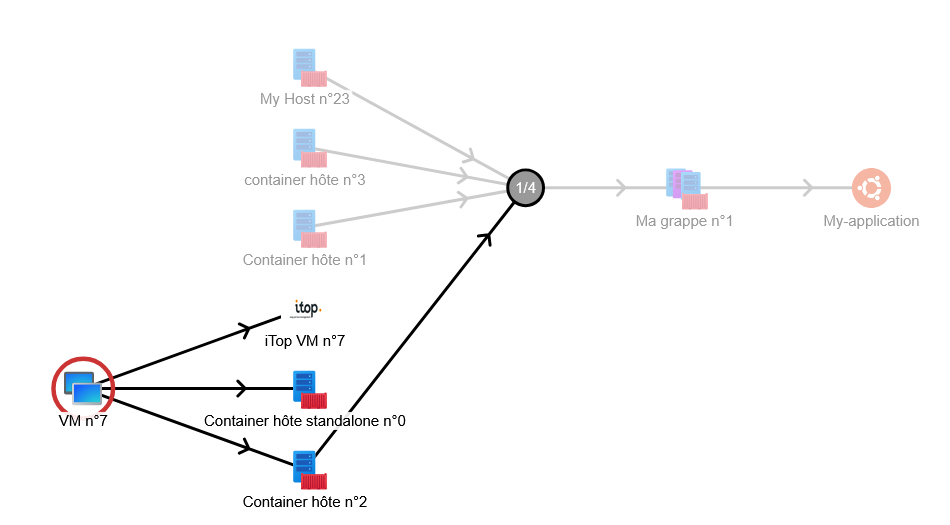
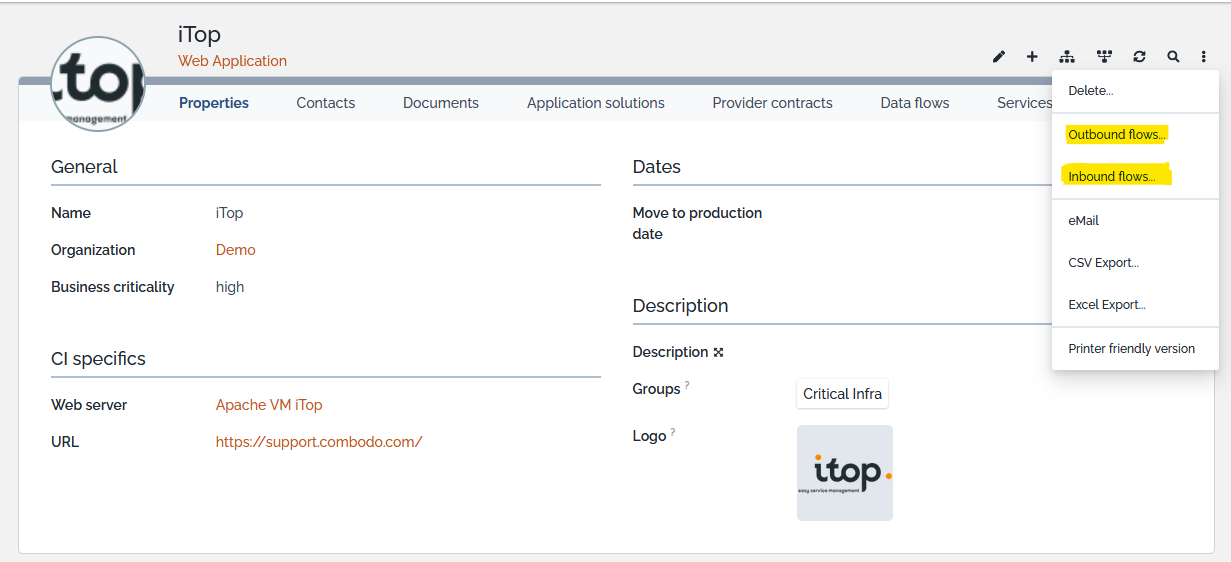
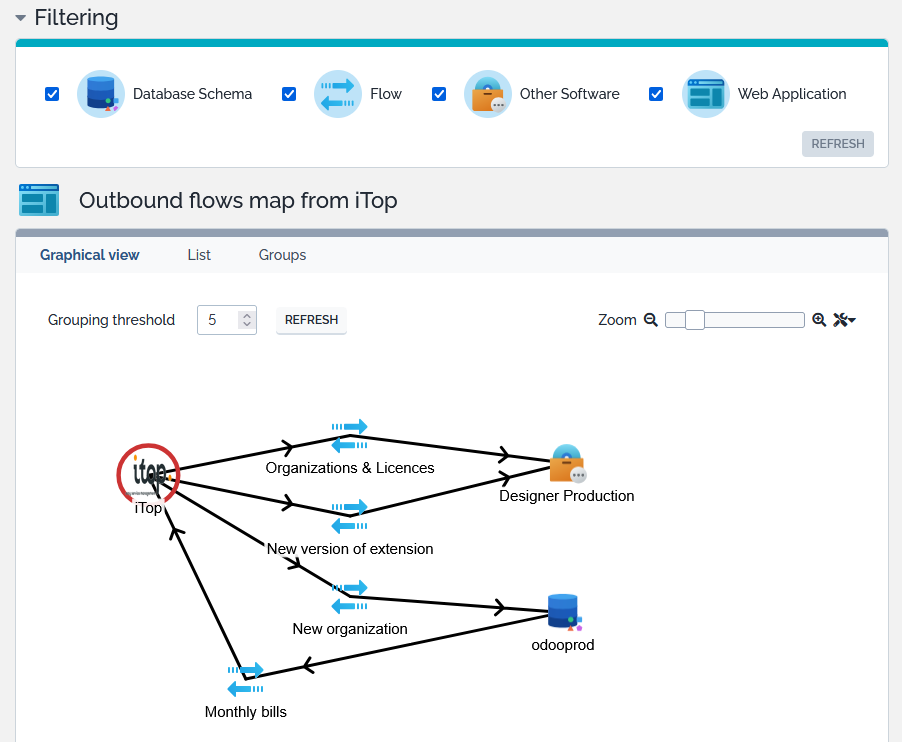
On top of the standard Impact Analysis, you can get a map of the flows going out of a particular CI:
Outbound flowsor the flows coming into a particular CI:Inbound flows
| Defining a Flow | Accessing Flows linked to a CI |
 |
 |
| Checking Outbound flows from a CI | Checking Inbound flows to a CI |
 |
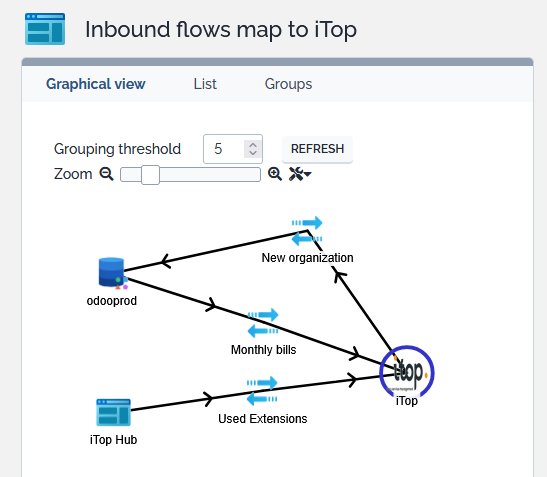 |
Also we have requested the Outbound flows, as the calculation method is recursive, when a DataFlow reach another CI, iTop computes the outbound flows of that CI and display them as well on the same graph. That outbound flow can make a loop and be an inbound flow of the initial CI (here “Monthly bills”). The same logic applies on the Inbound where loop can appear.
CMDB presentation
You are confused with all the CMDB classes proposed?
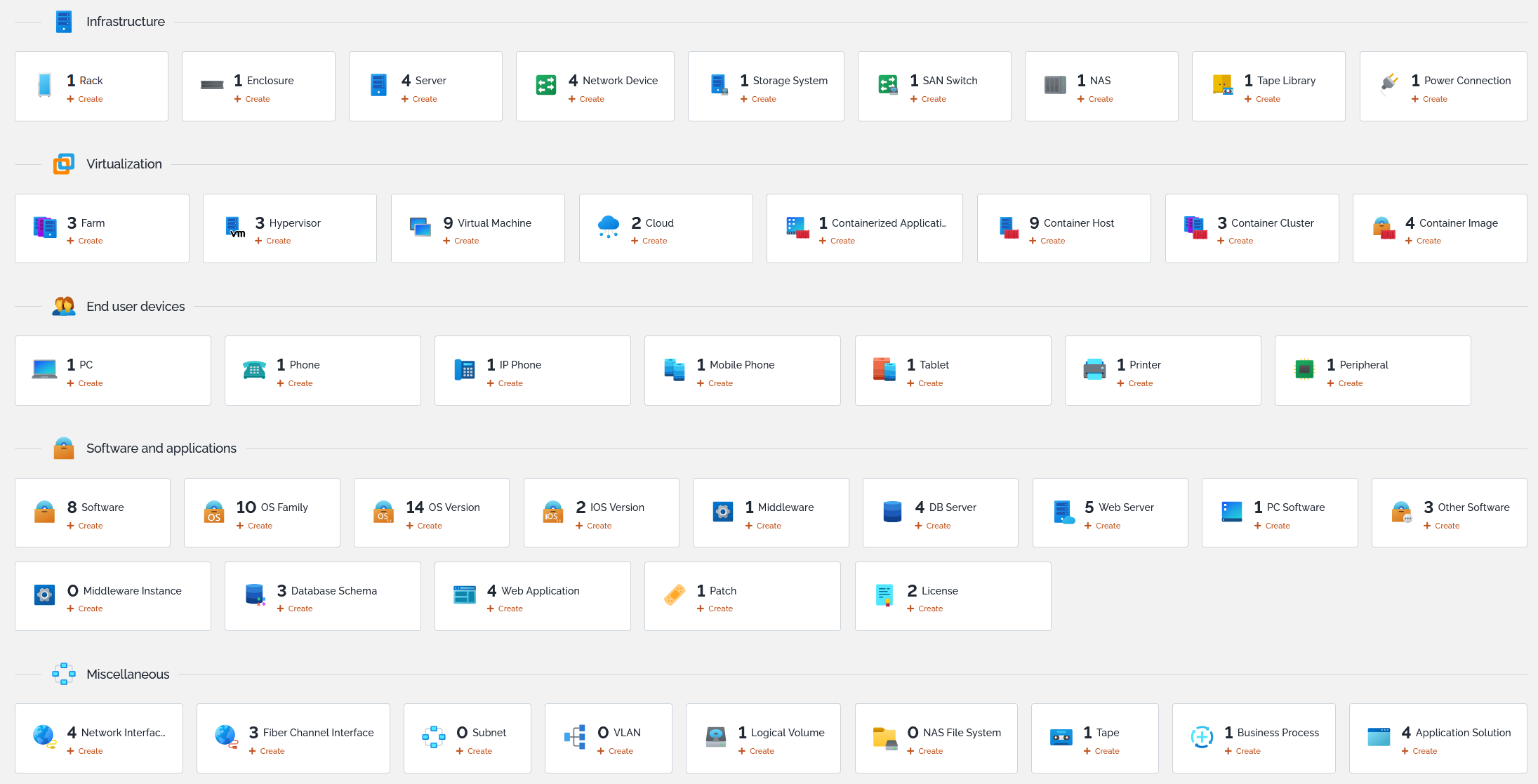
Move your mouse over a class badge and see the purpose of that class within iTop
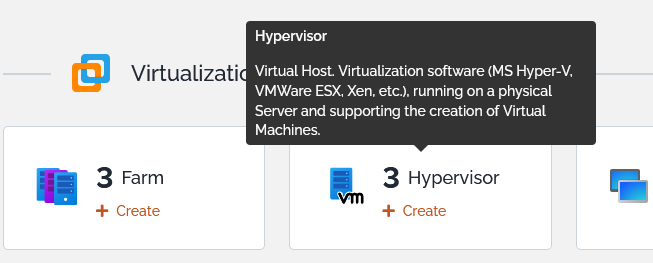
This dashboard has been enriched with previously missing classes: Software, OS Family, OS Version, IOS Version, Tape, NAS file system and Fiber Channel Interface.
Display of a CI
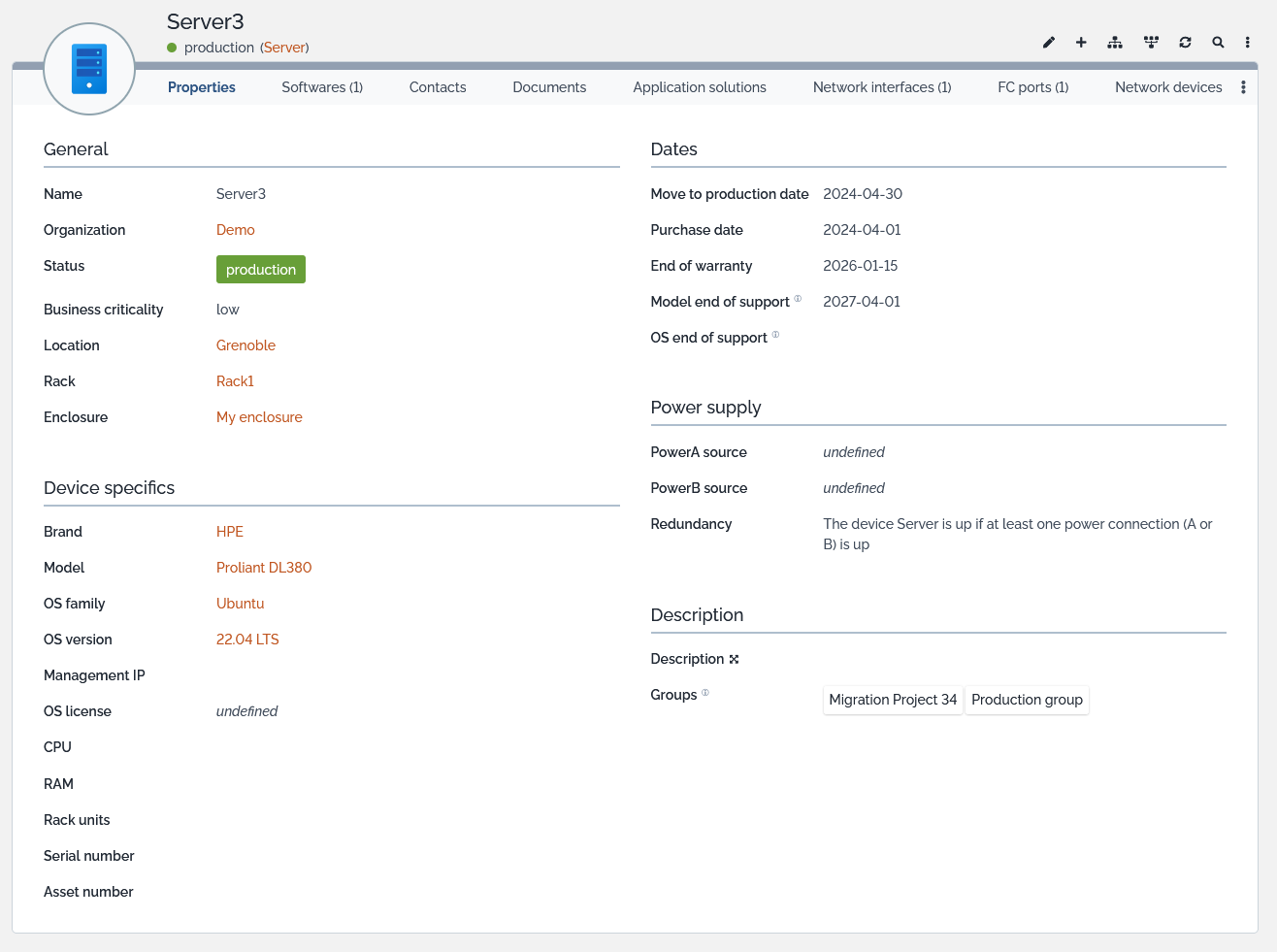
All CMDB object display have been harmonized to follow the same
standard.
Fields are presented on two columns (col:col1 and
col:col2) and 4 or 5 fieldsets.
| Fieldset label | Column | Contained fields, if they exist on that class, in this order |
| General information | First | Name, Organization, Status, Business
criticality, Location, Rack, Enclosure |
|---|---|---|
| xxxxx specifics | First | all the fields which do not fit in the other fieldsets |
| Dates | Second | All dates related fields such as Move to
production, Purchase, End of warranty, End of support,… |
| Power supply | Second | Limited to datacenter devices, it contains fields such as PowerA and PowerB source |
| Description | Second | Can contain a Comment of Description, a logo and the Groups a CI belongs too |
Groups usage
The existing Group class was not very visible, so not used. We made it more visible as a tagset field on every CI, so you can use it easily to tag your CIs, either because they are part of a critical environment or a test one, but it can also be used to group CIs which are part of a project, or need to be upgraded, or any grouping purpose…

End of Support
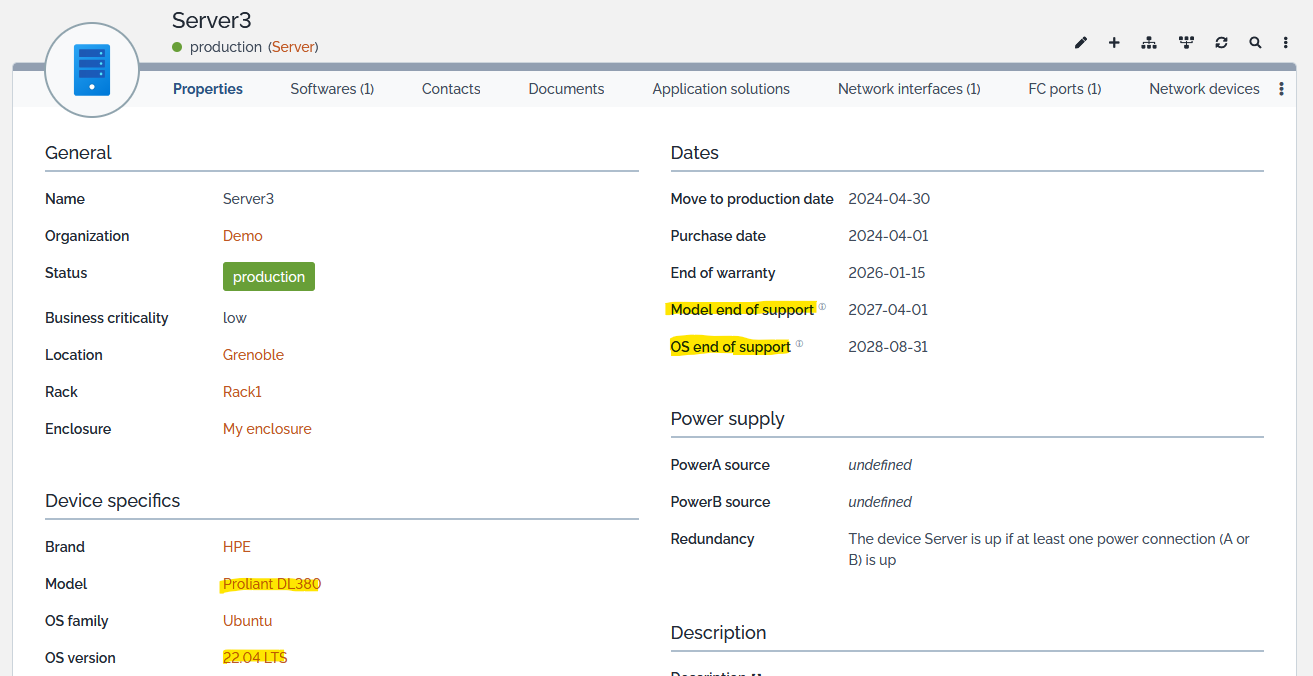
If you want to ensure that your infrastructure is not at risk because your hardware or software is out of support, you can now manage this information at the Model and Software level and it is visible on every associated CI
Highlighting status with colors
Every CI status value now use a background color, to better identify Cis in production versus implementation, stock or inactive.
Impact analysis and icons
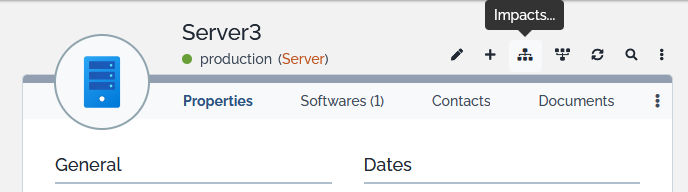
Maybe you haven’t started using Impact Analysis yet. The feature was previously hard to find, but now it’s prominently displayed — you won’t miss it anymore!
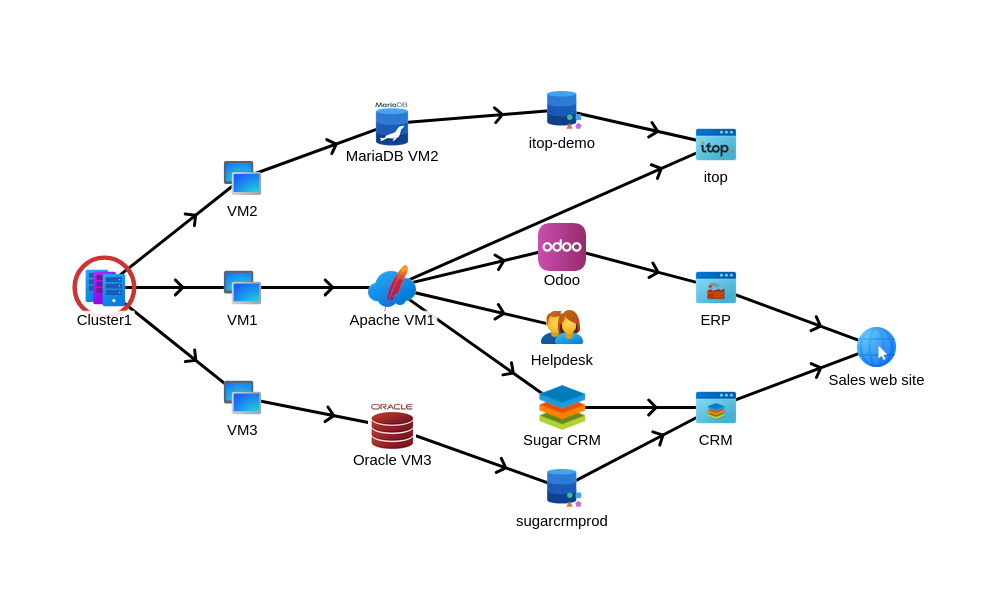
In order to make the impact analysis graph easier to read and understand, some of the objects icons are no more generic. They can be dynamically defined per category, software or per instance of object.
-
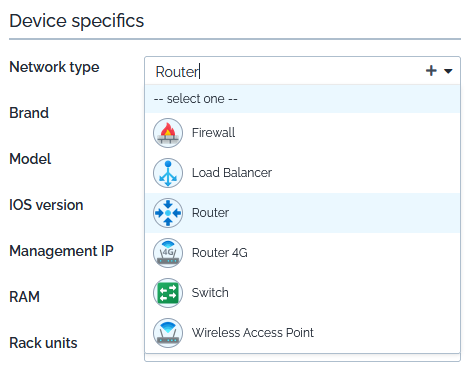
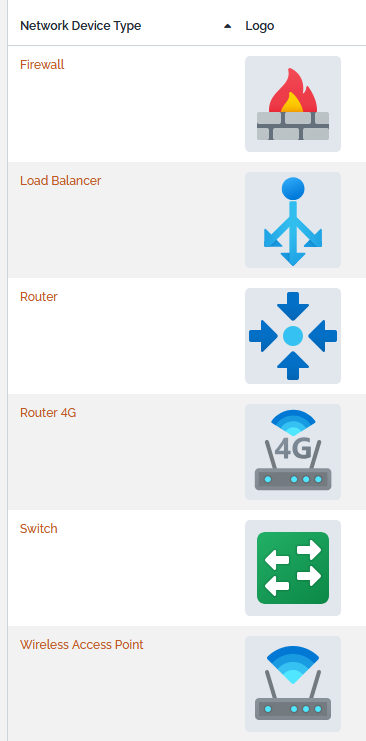
Within Network Devices, Firewall, Router, Switch, Load Balancer… have a different icon based on their type
 |
 |
-
Application Solution, Business Process, Software, OS Family objects allow to upload a different icon for each instance
Service Management
The Service Management menu was restructured, tooltips on menus and a new Service Catalog dashboard was added
Contract status use now the standard set of colors associated with each state.
Services, Service Subcategories and Contracts in status “obsolete” are no more visible by users having chosen in their User Preference to hide obsolete objects.
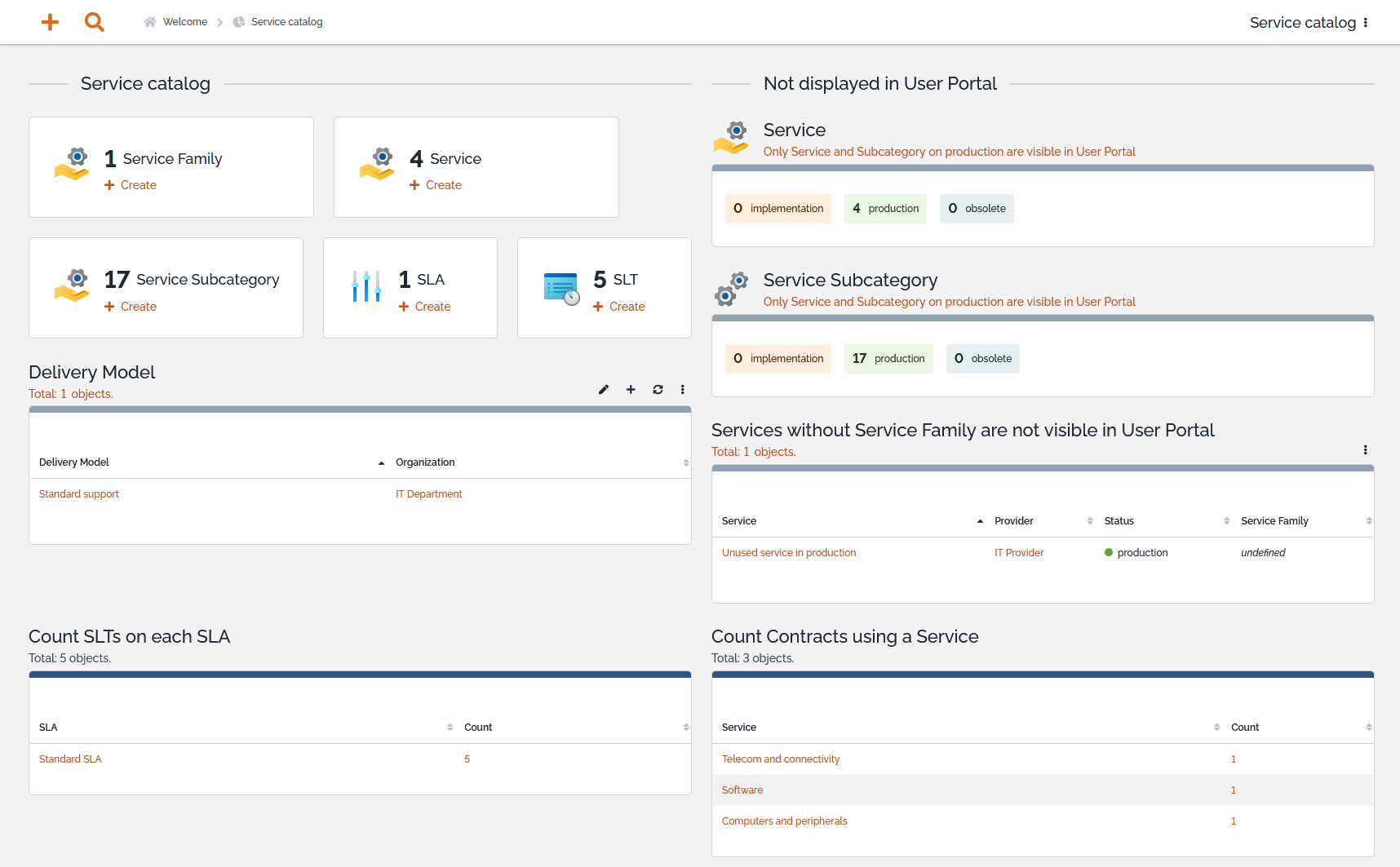
In order to ease reporting on Service and preparation of future Service subcategory without impacting existing customers buying the corresponding Service, the Service and Service Subcategory status is mandatory with a implementation default value.
Ticketing
Colors
Add colors to quickly differentiate Incident from Request in full ITIL mode

Add colors on Priority values in full ITIL mode
Menu labels
FR and EN menu labels and tooltips have been harmonized between User Request, Incident and Changes
tto and ttr timespent:
Those two fields (stopwatch sub-items) are now existing out of
the box, without the need to customize the datamodel to be able to
display them.
-
They have a value only when their associated stopwatch tto or ttr, is not running.
-
They represent the time spent during working hours and outside of Holidays before the ticket was owned (tto) or resolved (ttr).
-
Of course, time spent in status excluded from those stopwatches (such as pending) are not counted.
-
A similar field exists on ticket since ever, called
Resolution delay(code: time_spent), that one is not related to any stopwatches. It counts time from Ticketstart_date(its creation in iTop) untilresolution_date, regardless of Holidays or Coverage Windows.
request type behavior:
-
In full ITIL mode, this useless field was removed from the User Request display
-
In simple ticket mode,
-
Service sub-category selection is no more limited by this field, even if set, both incident and request type of Service sub-categories are proposed
-
On ticket submission, if the selected request type is incoherent with the selected service sub-category, then this last one wins and the request type is modified automatically.
-
Team tickets_list
This field was hidden due to performance issue and replaced with a dashboard attribute which is limited to open tickets and is only loaded when opening the tab.
Caselog entry from parent
When an entry is added to a Ticket caselog, a copy of that entry is automatically added on all child Tickets with a prefix to better identify its origin
-
Prefix within private log contains a link to the parent ticket
-
Prefix within public log does not contain any hyperlink to the parent as this log is visible in the User Portal where the link to a back-office page would look broken.
Technical details on dictionary entries and on changing the mapping
Incident parent request
-
The Incident class now have a
parent_request_idexternal key field to a UserRequest -
The UserRequest class will have a new tab “Sub-Incidents” as the counterpart of the above external key
User Portal
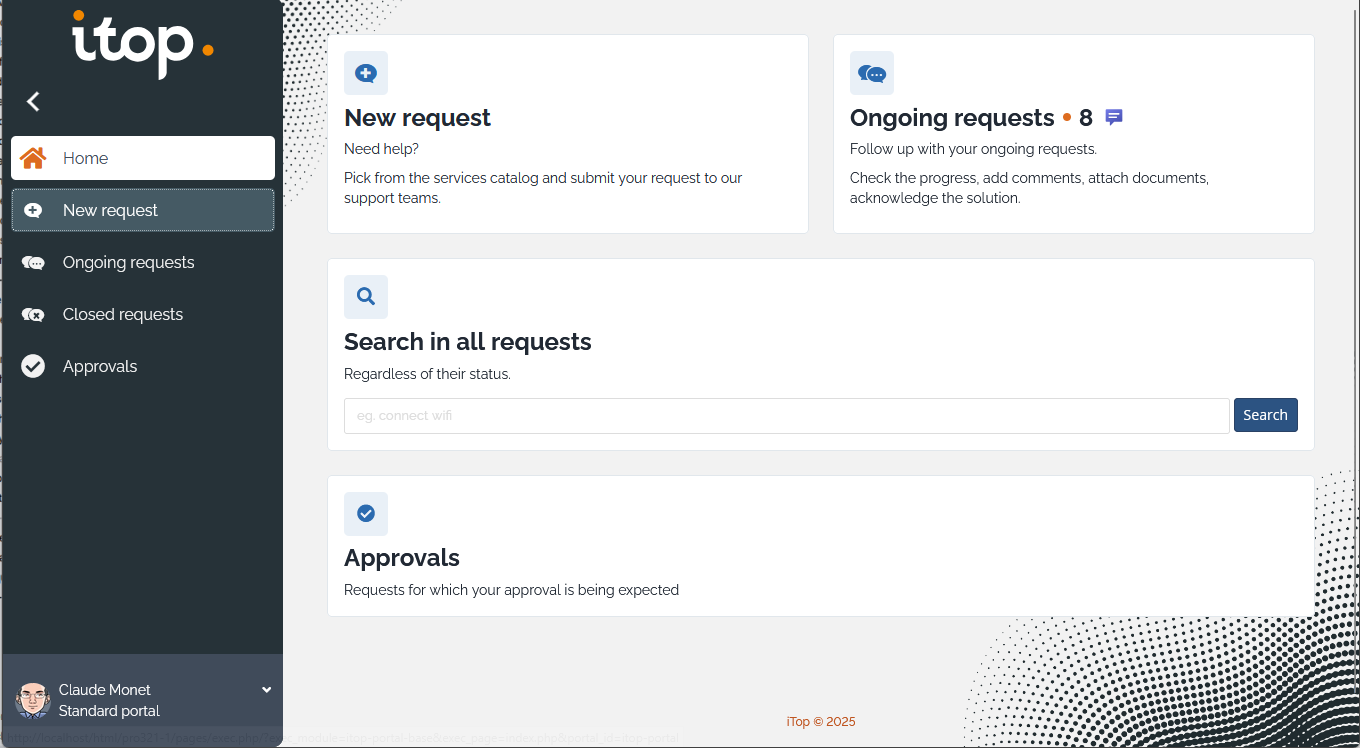
New look
Proposed as an extension in iTop 3.2, the User Portal new look is now fully integrated within iTop. It replaces the old look and feel.
Other changes
-
In the display of a Ticket in the User portal, the
attachmentslist has been moved above the caselog, so they are easier to see on ticket with long discussion.
-
Service and Service Subcategories in
implementationstatus are no more visible in the User Portal, this allows to prepare future Service subcategories without having them immediately visible to your customers
For administrators
Setup and upgrade
It's now possible to uninstall some extensions. For this:
-
The setup and the upgrade mechanism have been heavily modified.
-
The setup wizard pages are slightly different than before:
-
The new setup wizard: Installation wizard
-
The new upgrade wizard: Update wizard
-
-
A new page Extension management is now available in the backoffice to allow Administrators and Superusers to analyse if an extension can be remove safely.
Notification on Attachment
Two new Trigger have been added to notify when an attachment is added or deleted from an object.
DataSynchro
New actions available on SynchroReplica which allow
-
to repair mapping error one by one (or in bulk). For example when no iTop object was found, because there are none or because there are multiple mapping the criteria, you can create/change the iTop object(s) then synchronize the replica again with immediate visual response.
-
when two replicas point to the same iTop object, or a after a change on the DataSynchro reconciliation fields, it is required to Unlink the replicas and Synchronize them again.
-
to test the behavior of a DataSynchro on a single replica, so be able to revert manually the change on the corresponding iTop object if the result isn't the one expected, for example a creation where we are expecting an update. With a full synchro you can end-up with many duplicates in iTop, there you can avoid this with a one by one test.
-
to modify a DataSynchro and check the consequence on a few replicas before applying this on the whole set.
-
to update all iTop objects with a field which was in the source file but not synchronized until now by the DataSynchro.
-
after a deletion of the original replicas then a new synchronization, replicas are flagged as not having created their destination iTop object, which means that regardless of the DataSynchro Deletion policies, the iTop objects can never be deleted after the replica is obsolete. A new action allow to restore or deny this possibility on any replica(s).
Typology
New typology classes with structural data loaded at first iTop
installation: 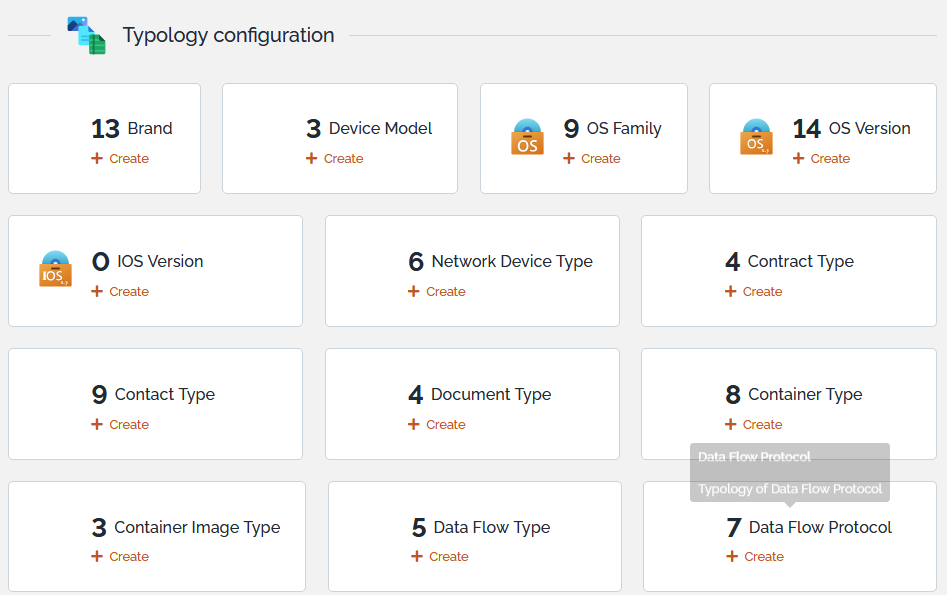
Configuration
With this version, you can make certain object actions more visible by placing them as icons outside the actions drop‑down menu.
- Configuration.php
-
'shortcut_actions' => 'UI:Menu:Modify,UI:Menu:New, UI:Menu:OpenOQL,UI:Menu:CSVExport ,UI:Menu:EMail,UI:Menu:Delete,UI:Menu:PrintableVersion,UI:Menu:ExportXLSX,UI:Menu:ExportPDF',
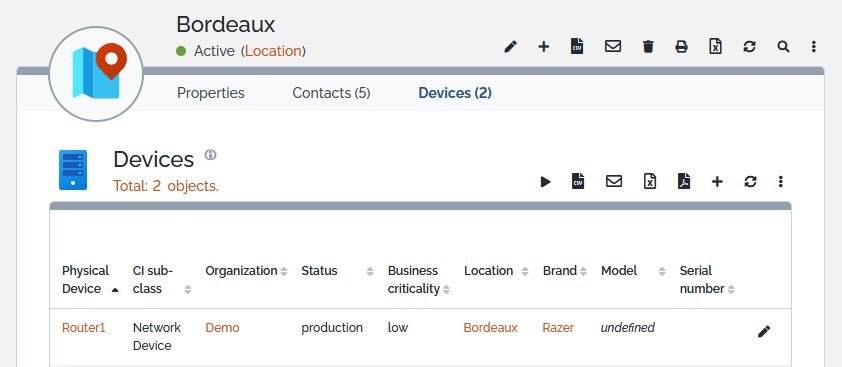
Impact Analysis
- Configuration.php
-
'shortcut_actions' => 'UI:Menu:Modify,UI:Menu:New,UI:Menu:impacts_down,UI:Menu:impacts_up',

Add me to contact
- Configuration.php
-
'shortcut_actions' => 'UI:Menu:Modify,UI:Menu:New,UI:Menu:AddMeToContact',
Audit Rule
Two new fields on Audit Rule to specify the corrective process and a contact responsible for this Rule.
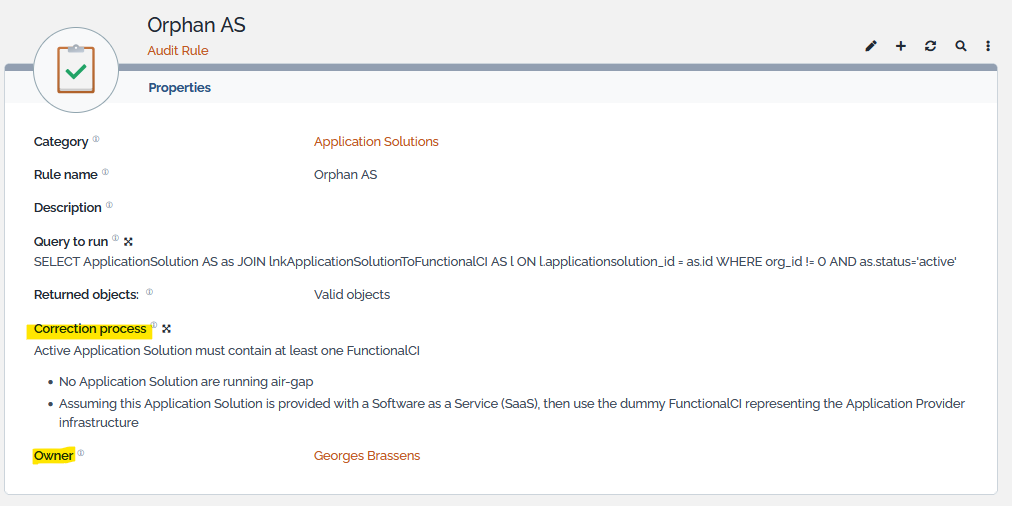
This allow to better manage the quality of the audit, as the rule become self-explanatory.
OQL Query
Two new fields on OQL Query to specify the usages and a contact responsible for this query
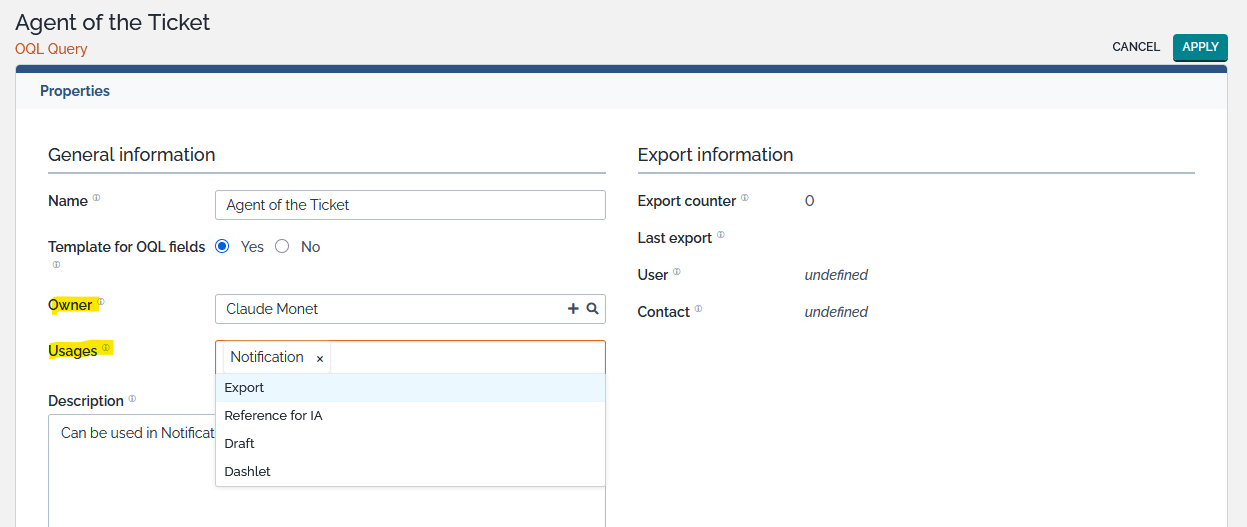
This allow to better manage a large number of queries, proposing filtering criteria, more efficient than a simple naming convention of queries
Super User rights
This version adds some rights which were missing to users with Super User profile, such as
-
transition on Incident in full ITIL mode,
-
transitions on WorkOrder,
-
transitions on Customer Survey,
-
default actions brought by User Action Configurator
-
transitions on Global Request
-
collectors and datasynchro
New read-only profiles
-
🚧