
iTop Designer access
There are different profiles which can be provided to iTop Designer users. They are cumulative. Each profile provides particular functionalities within the iTop Designer application.
Designer
User
This is the profile you must have to be able to
connect to iTop Designer.
Users having this profile, can:
-
read all information related to the Datamodel
-
execute a Move To Production of a revision on any instance
-
Do any modification which is allowed by the restriction model
Designer MTP Only
This profile must be combined with Designer
User.
Users having this profile, can:
-
execute a Move To Production of a revision on any instance
-
Is prevented to do any modification to the delta XML, classes, menus, branding, portals,… and so-on
Designer Power User
This profile must be combined with Designer
User.
Users having this profile, can:
-
Enable the “Admin Mode”, in which they can modify class & fields defined as part of the Standard Datamodel.
Designer Portal Developer
This profile must be combined with Designer
User.
Users having this profile, can:
-
Edit the XML of the User Portal(s)
Designer PHP Developer
This profile must be combined with Designer
User.
Users having this profile, can:
-
Edit the PHP Methods: Create, Modify & Delete them
-
Create, Modify, Delete Snippets
-
Create, Modify, Reset or Delete Constants
-
Modify Module Parameters
Component User
This profile must be combined with Designer
User.
Users having this profile, can:
-
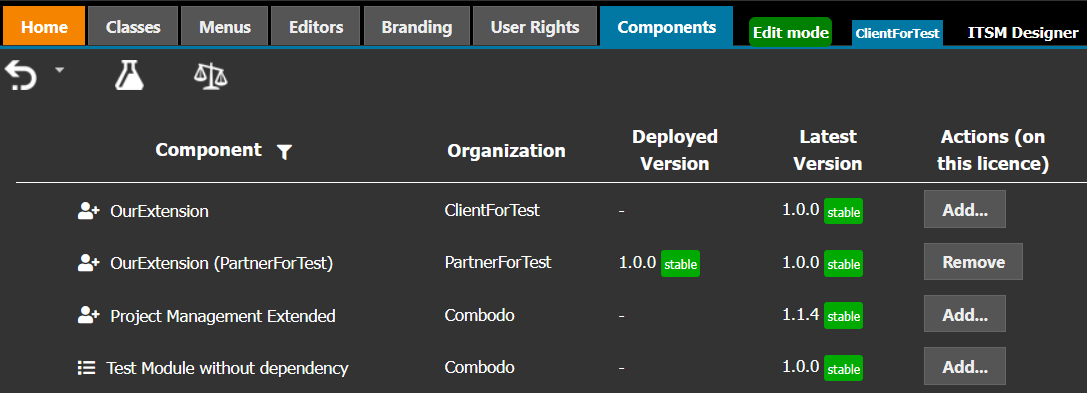
Add, Modify or Remove an extension/component version from the license, as long as the extension was published / enabled on his license
Component Publisher
This profile must be combined with Designer
User.
Users having this profile, can:
-
Enable / Disable an extension/component owned by the company of the Publisher
-
An enabled extension, with an added version, cannot be disable, the Version must be removed first.
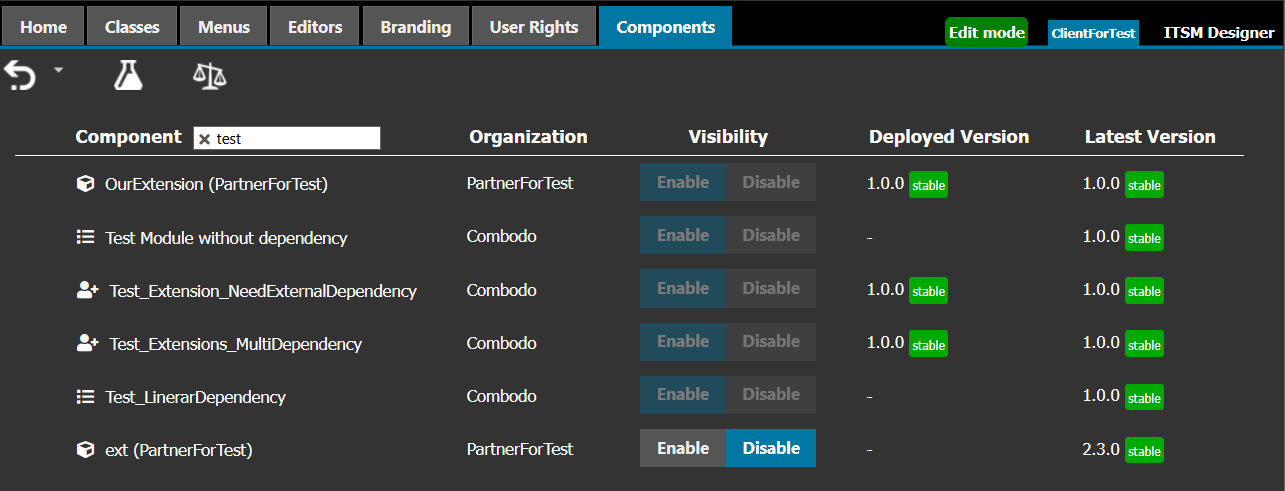
No-one can disable them, not even Administrators
Enabling is not always possible, check tooltip for explanation:




Component Developer
This profile must be combined with Designer
User.
Users having this profile, can:
-
Upload new Extension and new versions of existing Extensions owned by the company of the Developer or any of its sub-organizations
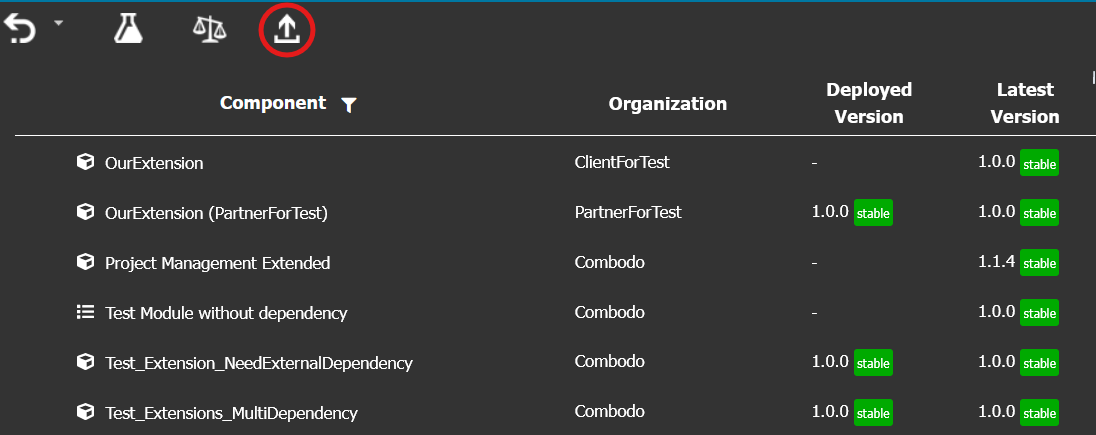
Ask Combodo for enabling such extension on your Designer license
Essential versus Professional
Rights which are not the same:
| Action | Essential | Professional |
|---|---|---|
Create a root class under
cmdbAstractObject |
No | Yes |
| Create a sub-class under an abstract class | under Functional CI tree and Typology | any class that you can modify in Designer (?) |
| Manage an object lifecycle: add state, transitions, actions,… | No | Yes |
| Manage Profiles and Groups | No | Yes |
For those other actions there is no difference
| Action | Essential | Professional |
|---|---|---|
| Add fields on most classes (*) | Yes | Yes |
| Modify existing fields (**) | No | No |
| Modify Presentaion | Yes | Yes |
| Modify dictionary entries | Yes | Yes |
(*) There are a few frozen classes, such as Attachment,
ApprovalRule, CoverageWindow, Holiday, HolidayCalendar,
RequestTemplate, PrecannedReply, PrecannedReplyCategory and
every class which do not have the category BizModel.
For those classes users cannot add any field.
(**) That particular limitation is removed if you are Power user. But there are real risks behind some of the possible changes: Exemple of such dangereous change: Removing a value from the values of an AttributeEnum:
-
Enum values can be used within a method or an OQL (in a filter, a dashboard, an audit rule, a queryphrase), (eg. Ticket priority computed based on other enum), so removing such value will modify/break iTop standard behavior.
-
If existing objects in iTop instances can have the value that is removed from the Datamodel, this will stop the Move To Production (This limitation was removed in iTop 3.0.0, which handles this use case)